Introducing Spatial Story: Turn Photos into Walkthrough Videos
Spatial Story transforms 3-6 photos into smooth walkthrough videos using AI. Perfect for restaurants, real estate, retail, and hotels.
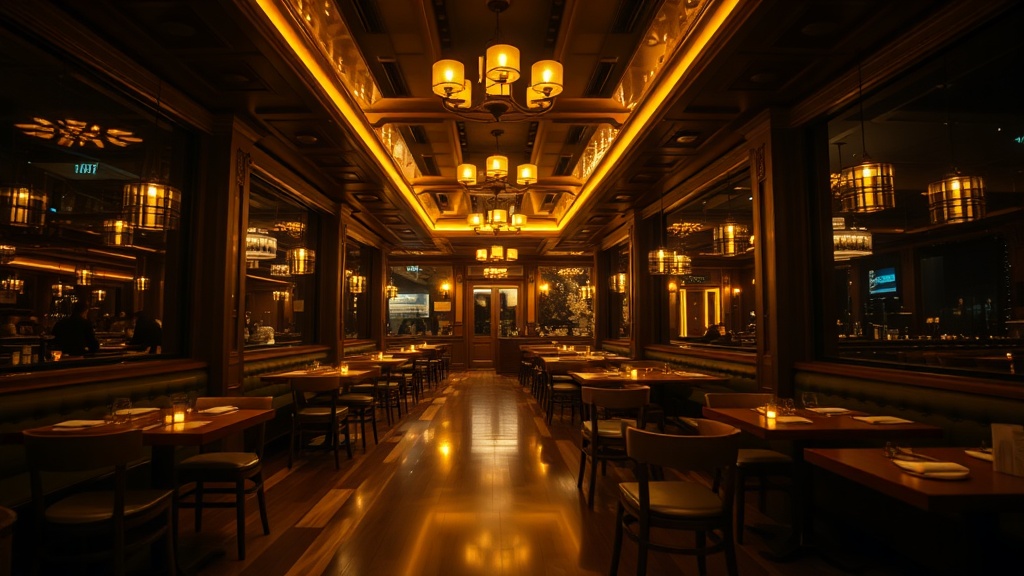
Static photos can only do so much. A single image of a restaurant interior, a hotel lobby, or a retail storefront gives viewers a snapshot, but it cannot convey the feeling of being there. That feeling -- the sense of moving through a space and taking it all in -- is what sells experiences.
Today we are launching Spatial Story, a new tool in Dobidy that turns a handful of photos into smooth, AI-generated walkthrough videos. No drone footage, no videographer, no editing software. Just your photos and a few minutes.
How Spatial Story Works
The concept is straightforward. You upload 3 to 6 key-frame photos of a space, arranged in the order you want a viewer to experience them. Spatial Story's AI analyzes each consecutive pair of images and generates smooth, natural transitions between them -- filling in the visual gaps that a camera would capture if it were physically moving through the space.
Each transition produces a 5-second clip. The clips are then stitched together into a single continuous walkthrough video that feels like a real tour.
The Math on Frames and Clips
If you upload 3 photos, the AI generates 2 transition clips (photo 1 to 2, and photo 2 to 3), giving you a 10-second walkthrough video. Upload 4 photos and you get 3 clips for 15 seconds. The maximum of 6 photos produces 5 clips for a 25-second spatial video.
On the free tier, each clip is generated at 480p with a watermark at no cost. On paid plans, each clip costs 20 credits (WAN HQ, 720p) or 50 credits (Kling, highest quality).
Who Spatial Story Is Built For
Restaurants and Cafes
Show diners what the atmosphere actually feels like before they book a reservation. Walk from the entrance through the main dining room, past the open kitchen, and onto the outdoor patio. A walkthrough video on your Instagram profile or Google Business listing communicates ambiance in a way that a static photo of your best dish simply cannot.
Real Estate
Virtual tours have become standard in property listings, but professional 360-degree photography is expensive and time-consuming. Spatial Story lets agents create compelling walkthrough videos from photos they already have. Walk potential buyers from the front entrance through the living room, into the kitchen, and out to the backyard -- all from a set of listing photos. See our dedicated guide on AI property walkthrough videos for tips on getting the best results.
Retail Stores
For brick-and-mortar shops, getting people through the door is the hardest part. A walkthrough video that moves through your curated displays, past your featured collections, and along your carefully designed layout gives online browsers a reason to visit in person. Post it to TikTok or Instagram Reels and let the space sell itself.
Hotels and Hospitality
From the lobby to the room to the rooftop bar, hotels are spatial experiences by definition. Spatial Story lets you create walkthrough content for each area of your property without scheduling a film crew. Update it seasonally as your decor changes.
Tips for Getting the Best Results
The quality of your walkthrough video depends heavily on the photos you provide. Here are a few guidelines.
Shoot in sequence. Walk through the space yourself and take photos in the order a visitor would experience it. The AI generates better transitions when consecutive photos share some visual overlap -- a doorway visible in both shots, a wall that appears on the edge of one frame and the center of the next.
Keep lighting consistent. Mixing a bright, sunlit exterior shot with a dim interior creates jarring transitions. If your space has varied lighting, try to photograph during times when the differences are less extreme, or adjust exposure so the photos are reasonably balanced.
Use landscape orientation. While Dobidy defaults to 9:16 vertical for social platforms, Spatial Story works well in both orientations. Landscape photos tend to capture more of a room and give the AI more spatial context to work with during transitions.
Avoid extreme angle changes. A photo looking straight down a hallway followed by a photo facing the opposite direction will confuse the transition AI. Keep the general direction of movement consistent between consecutive frames.
How Credits Work with Spatial Story
Spatial Story uses Dobidy's credit system. On the free tier, clips generate at 480p with a watermark at no cost. On paid plans, each 5-second transition clip costs 20 credits (WAN HQ, 720p) or 50 credits (Kling, highest quality).
Here is a quick reference:
- 3 photos = 2 clips = free (WAN Free) or 40 credits (WAN HQ)
- 4 photos = 3 clips = 150 credits
- 5 photos = 4 clips = 200 credits
- 6 photos = 5 clips = 250 credits
The free plan lets you create Spatial Story walkthrough videos at 480p with a watermark -- a great way to test the tool with your own space before committing to a paid plan.
Spatial Story's Temporal Twin: Time Story
If Spatial Story creates movement through space, Time Story creates change over time. Upload 2-4 before and after photos — aging, renovations, seasons — and AI generates smooth time-lapse transformation videos. Same pipeline, different perspective.
Try Time Story for free or read more about what Time Story can do.
Getting Started
Spatial Story is available now inside your Dobidy dashboard alongside Omni Tool v1. Select it from the tool picker, upload your photos in sequence, and generate your first walkthrough video in minutes.
If you have not tried Dobidy yet, you can sign up for free and create your first Spatial Story at no cost. See our pricing page for details on plans that unlock HD quality and remove the watermark.

Dobidy Team
AI-powered video advertising platform
Ready to create your first video ad?
Upload your product photos and get a polished 10-second video ad. Just $9.
Get StartedRelated articles

Introducing Time Story: Turn Before and After Photos into Time-Lapse Videos
March 27, 2026 · 8 min
Automated Video Campaigns: How to Set It and Forget It
March 17, 2026 · 6 min

How Dobidy Credits Work: Plans, Pricing, and Getting the Most Value
March 17, 2026 · 5 min