Automated Video Campaigns: How to Set It and Forget It
How Dobidy's campaign scheduling automates weekly video ad creation with AI-generated variations, approval workflows, and per-platform captions.
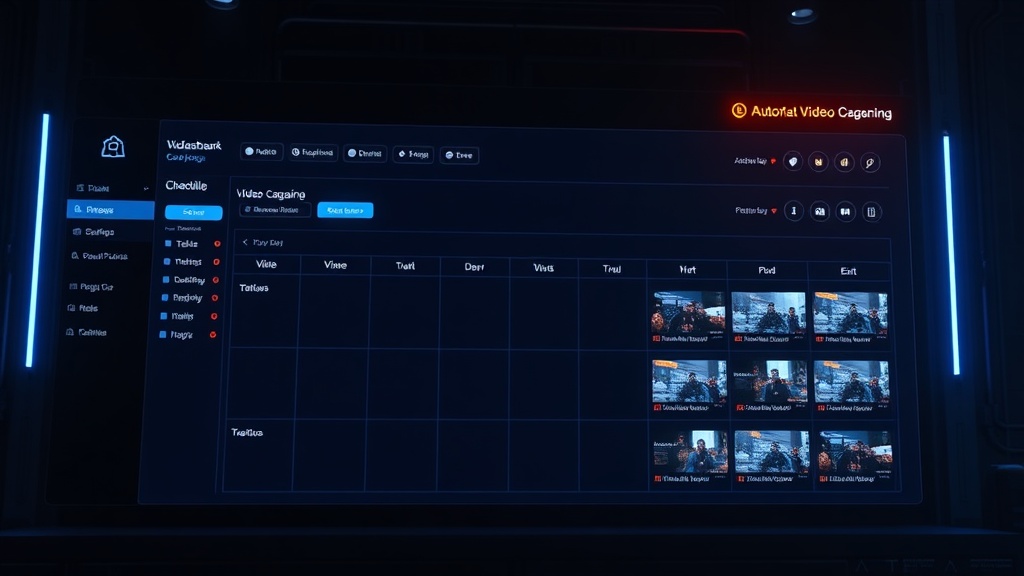
The hardest part of running video ads is not making the first one. It is making the twentieth. And the fiftieth. Consistency is what separates brands that build real traction on social platforms from those that post three times and disappear.
Most businesses know they should be publishing fresh video content every week. The reality is that production logistics, creative fatigue, and the sheer time cost of the content cycle make it unsustainable. You start strong, then three weeks in, the Canva tab stays closed and the TikTok business account goes quiet.
Dobidy's campaign scheduling feature was built to solve exactly this problem. Set up your campaign once, and the system generates fresh video variations on a weekly schedule without you touching the wizard again.
How Campaign Scheduling Works
The concept is straightforward: you complete the wizard once, save the output as a campaign template, then configure a recurring schedule. Every week, the AI generates new video variations based on your original creative brief, product photos, and brand context. You review them, approve with a click, and they are ready to publish.
Here is the step-by-step flow.
Step 1: Complete the Wizard
Go through the standard Dobidy workflow. Chat with Abil about your product and audience. Review the creative brief. Upload your product images. Let Bisli generate three ad scenarios. This is your foundation, and it only happens once per campaign.
Step 2: Save as Campaign
After generating your first set of videos, save the wizard output as a campaign. This captures everything: your creative brief, brand context, product images, tone, target audience, and platform preferences. Think of it as a creative template that the AI will riff on going forward.
Step 3: Set Your Schedule
Configure the campaign to generate new videos weekly. You can also set preferences that apply to every video in the campaign:
- Video quality: Standard or Pro rendering
- Audio: Enable or disable ambient sound and TTS narration
- Language: Set the language for AI-generated captions
- Auto-publish: Choose whether approved videos publish automatically or wait for manual action
Step 4: Let It Run
Every week, the system kicks off the full pipeline automatically. Bisli generates a fresh scenario variation informed by your brand context. Carmen directs the video with new camera movements and scene compositions. The video renders on Kling O3. Per-platform captions are generated. The result lands in your dashboard, ready for review.
You did nothing. The AI did the creative work.
The Review Workflow
Automation without oversight is a liability. Nobody wants an AI publishing video ads with their brand name on it without a human checkpoint. That is why every auto-generated video goes through a review step.
When a new video is ready, you get an email notification. Open your dashboard, watch the video, and you have three options:
Approve: The video is good. Optionally set a publish date and time, edit the captions if needed, select which platforms to target, and confirm. If you have auto-publish enabled, you can skip this entirely and the video publishes after the approval window.
Edit captions: The AI-generated captions, hashtags, and descriptions are fully editable before approval. Tweak a hashtag, adjust the tone of a caption, add a seasonal reference. The video itself stays the same; the text content around it is yours to refine.
Reject: The video misses the mark. Rejecting it resets the pipeline, and the system generates a completely new variation from scratch. No credits wasted on content you will never use.
The 72-Hour Window
Every generated video has a 72-hour approval deadline. This creates a forcing function so videos do not pile up unreviewed in your dashboard.
If auto-publish is enabled on your campaign, the video publishes automatically after 72 hours. You get a heads-up email at the 48-hour mark so there are no surprises.
If auto-publish is disabled, the video expires after 72 hours without action. This is a safety net. Stale content from two weeks ago should not go live because someone finally got around to checking their dashboard.
The 72-hour window hits a practical sweet spot. It is long enough to review during normal business hours regardless of time zone, and short enough to keep your content pipeline moving.
Per-Platform Captions
One of the most tedious parts of cross-platform video marketing is adapting captions for each channel. What works on TikTok reads wrong on LinkedIn. Instagram hashtag strategy is completely different from YouTube SEO.
Dobidy's Captioner agent generates platform-specific captions automatically for every video. Each platform gets tailored content:
TikTok: Conversational, trend-aware captions. Relevant hashtags that balance reach (broad trending tags) with specificity (niche product tags). The tone matches what performs on the platform: informal, direct, slightly provocative.
Instagram Reels: Aesthetic, brand-forward captions. Up to 30 hashtags optimized for discovery. Slightly more polished than TikTok but still casual enough for Reels format.
YouTube and YouTube Shorts: SEO-optimized titles, full descriptions with keywords, and tag lists. YouTube is a search engine, and the captions reflect that. Titles are crafted for click-through from search results, not just feed browsing.
Facebook Reels: Engagement-focused captions designed to prompt comments, shares, or saves. Facebook's algorithm rewards posts that generate conversation, so the captions are written to invite response.
All of this is generated automatically as part of the pipeline. You can edit any of it before approving, but most of the time the AI output is good enough to publish as-is, especially after the first few weeks when the system has your brand context dialed in.
Who This Is For
Campaign scheduling makes the most sense for businesses that need consistent video output but cannot justify a dedicated content team:
E-commerce sellers running always-on ad campaigns need fresh creative to combat ad fatigue. The same video loses effectiveness after 7-14 days. Pairing an AI product video creator with automated scheduling keeps your ads performing without manual creative sprints.
Social media managers handling multiple brands or product lines can set up a campaign per product and let the system handle the production. Review and approve becomes a 15-minute weekly task instead of a half-day production cycle.
Small businesses with a single marketing person who wears every hat. If you are the founder, the marketer, the customer support rep, and the bookkeeper, an automated content pipeline gives you one less thing to manage.
The Compound Effect
The real value of campaign scheduling is not any individual video. It is the accumulation of consistent publishing over months. Brands that post weekly build algorithmic favor on every platform. They build audience familiarity. They generate enough data to understand what actually works for their specific product and customer.
Most businesses never reach that point because the production cost of consistency is too high. Automating the creative pipeline changes the math. Your weekly time investment drops from hours of production to minutes of review.
Set up a campaign, configure your schedule, and let the system handle the rest. Your future self, three months into a consistent posting cadence with real performance data, will appreciate it.

Dobidy Team
AI-powered video advertising platform
Ready to create your first video ad?
Upload your product photos and get a polished 10-second video ad. Just $9.
Get StartedRelated articles

Introducing Time Story: Turn Before and After Photos into Time-Lapse Videos
March 27, 2026 · 8 min

How Dobidy Credits Work: Plans, Pricing, and Getting the Most Value
March 17, 2026 · 5 min

Introducing Spatial Story: Turn Photos into Walkthrough Videos
March 17, 2026 · 5 min