Shopify Store Video Ads: From Product Page to Video in Minutes
How Shopify store owners can turn existing product photos into professional video ads using AI. Step-by-step workflow plus where to run your ads.
Every Shopify store has product photos. Most have pretty good ones. High-resolution images on white backgrounds, multiple angles, maybe a lifestyle shot or two. These photos are already doing the job of selling your product on your store page. What most store owners do not realize is that those same images are everything you need to create video ads.
Video ads consistently outperform static images in paid advertising. Meta reports that video creatives drive higher engagement and lower cost-per-action across their ad platform. On TikTok, video is the only format. Google Shopping campaigns with video assets get preferential placement in Discovery feeds. The data is not ambiguous.
The gap for most Shopify sellers is not awareness. It is production. You know video ads work. You just do not have the time, budget, or expertise to create them. AI video generation closes that gap by turning your existing product photos into ready-to-run video ads in minutes. Dobidy's AI video ads for Shopify stores is built around exactly this workflow.
The Workflow: Product Photos to Video Ads
Here is the exact process for turning your Shopify product images into video ads.
Grab Your Product Images
Open your Shopify admin. Go to the product you want to advertise. Your product photos are already there. Download 2-3 of the best angles:
- Front-facing shot — this is the most important image. It becomes the primary visual reference for the AI.
- Side or three-quarter angle — gives the AI a sense of the product's dimensionality, which translates to more natural camera movement in the video.
- Lifestyle or context shot — your product on a table, in someone's hand, in its natural environment. Optional but helpful for giving the AI context about how the product is used.
If you also have a logo image (ideally a PNG with a transparent background), grab that too. It can be included as a visual element in the video.
You do not need to reshoot anything. The photos on your Shopify listing are almost certainly good enough. Clean backgrounds and consistent lighting are ideal, but the AI handles a wide range of image quality. (Product photography tips for video ads covers what makes a strong reference.)
Upload to Dobidy and Fill Out the Brief
Open Dobidy and start a new project. The brief is a short structured form covering nine targeted fields: product name and description, target audience, key selling points, tone, platform, call-to-action, brand colors, and specific requirements. Most fields take a sentence or two.
This is where your Shopify seller knowledge becomes a competitive advantage. You know your product inside out. You know which features customers mention in reviews. You know who actually buys it versus who you thought would buy it. Feed that specificity into the brief.
For example: "Bamboo cutting board, but our customers are not chefs. They are people remodeling their kitchen who want everything to look cohesive. They care about aesthetics as much as function." That level of detail produces dramatically better ad concepts than "nice cutting board, everyone who cooks."
Upload your product images and continue.
Review Three Ad Concepts
Dobidy generates three distinct ad concepts based on your brief. Each takes a different creative angle:
- One might lead with a problem your product solves ("Tired of plastic cutting boards that stain after a week?")
- Another might take a lifestyle approach ("Your kitchen renovation is almost perfect. One detail left.")
- A third might use social proof or a direct product claim ("14,000 kitchens. Zero complaints about aesthetics.")
Each concept includes a complete creative direction: the hook, the visual approach, the on-screen text, and the call-to-action. You are not choosing between vague ideas. You are choosing between fully realized ad strategies. (Writing ad copy that converts covers the language patterns that make each angle work.)
Generate Your Videos
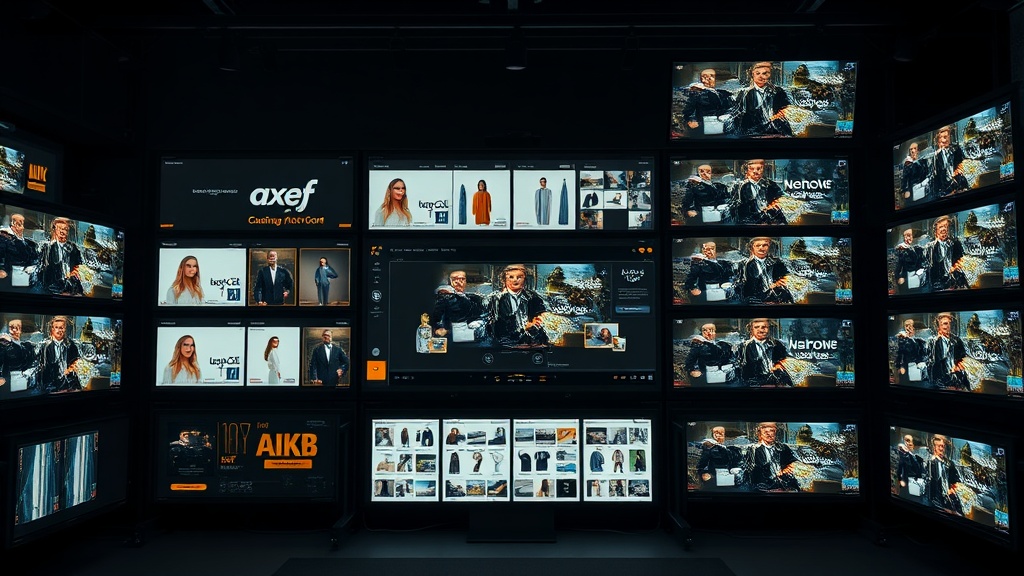
Continue to the next step and the AI handles the rest, translating each concept into precise production instructions and rendering the videos using your actual product photos as visual references. The video features your real product, not a generic approximation.
The output is a 10-second vertical video in 9:16 format, ready to upload directly to any ad platform. The whole process from image upload to finished video takes about 10 minutes of active work plus a few minutes of generation time.
Where to Run Your Shopify Video Ads
Once you have your video ads, the question is where to spend your ad budget. Each platform has different strengths for e-commerce.
TikTok Shop and TikTok Ads
TikTok has become one of the most powerful product discovery platforms. TikTok Shop integration means users can buy without leaving the app, which dramatically reduces friction in the purchase funnel. Video ads on TikTok work best for products under $50, visually interesting items, and anything that benefits from demonstration. If you sell on TikTok Shop, our TikTok Shop video generator guide covers the full workflow.
Best for: impulse purchases, trend-driven products, younger demographics, visually distinctive products. (How to make TikTok ads from product photos walks through the TikTok-specific workflow.)
Instagram Shopping and Instagram Ads
Instagram Reels ads appear in the Reels feed alongside organic content. With Instagram Shopping enabled, you can tag products directly in ads. The platform skews slightly older and more affluent than TikTok, making it a strong channel for products in the $30-150 range.
Best for: lifestyle products, fashion, beauty, home decor, and anything where aesthetic presentation drives purchase decisions.
Facebook Ads
Facebook remains the largest paid social platform by advertiser spend. Its audience targeting, while less precise than it was pre-iOS 14, still outperforms most alternatives at scale. Video ads in Facebook Reels and in-feed placements work for a broad range of price points.
Best for: broad demographics, retargeting website visitors, lookalike audiences based on existing customers, and products that require more education or trust-building.
Google Shopping and YouTube
Google Shopping campaigns with video assets get placed in Discovery feeds and YouTube. This channel captures high-intent shoppers who are actively searching for products like yours. YouTube Shorts is also emerging as a product discovery channel.
Best for: products people actively search for, higher-consideration purchases, and categories where comparison shopping is common.
The ROI of Video vs. Static Images
The performance gap between video and static image ads is well-documented, but it is worth putting concrete numbers on it for Shopify sellers specifically.
Click-through rate: Video ads typically see 2-3x higher CTR than static images in the same ad set. More clicks at the same spend means more traffic to your Shopify store.
Cost per acquisition: Lower CPA is the natural result of higher engagement. When the platform's algorithm sees your ad generating clicks and watch time, it shows it to more people at a lower cost per impression.
Return on ad spend: E-commerce brands running video ads consistently report 1.5-2x higher ROAS compared to static-only campaigns. On a $1,000 monthly ad budget, that difference can mean $1,500-2,000 in additional revenue.
Conversion rate on landing page: Video viewers arrive on your product page with more context about the product. They have already seen it in motion, understand its size and shape, and have absorbed the key selling point. This pre-qualification translates to higher on-page conversion rates.
The compound effect is significant. Higher CTR, lower CPA, higher ROAS, and better on-page conversion all reinforce each other. Video is not marginally better than static images for e-commerce advertising. It is categorically better.
A Practical Starting Point
If you have never run video ads for your Shopify store, start with your best-selling product. Download 2-3 images from your product page. Create three video ad variations. Set a modest daily budget ($15-20/day) on one platform. Run for seven days, measure ROAS per variation, and cut the underperformer.
You will learn more from one week of live video ad data than from a month of planning. And since you are working with product photos you already have, the only investment is the time it takes to describe your product to the AI and pick your favorite ad concept.
Your Shopify store already has everything it needs. The product photos are shot. The product knowledge is in your head. Turn both into video ads and start collecting data on what actually drives sales for your store. If you want a step-by-step walkthrough tailored to Shopify sellers, see our complete guide to Shopify video ads. (For broader ecommerce strategy, see the ecommerce video ads starter guide.)

Dobidy Team
AI-powered video advertising platform
Ready to create your first video ad?
Upload your product photos and get a polished 10-second video ad. Plans from $39/mo.
Get Started