Watch Nature Transform: Create Time-Lapse Videos from Photos
Turn nature photos into time-lapse videos showing plant growth, landscape changes, and natural transformations. AI generates smooth transitions from just 2-4 photos.
Nature moves on its own schedule. A seed becomes a sunflower over eight weeks. A hillside cycles through green, gold, and bare brown across four seasons. A riverbank recedes inch by inch over years. These transformations are stunning, but they happen too slowly for anyone to watch in real time.
Time-lapse photography has always been the answer -- set up a camera, take a photo at regular intervals, stitch them together. But that requires dedicated equipment, consistent power, and weeks or months of patience. Most of us just have a handful of photos taken at different times from roughly the same spot.
That handful is enough. With AI, you can turn 2 to 4 nature photos into a smooth time-lapse video that compresses weeks, months, or years of change into a few seconds. The AI analyzes each photo and generates the visual transitions between them -- filling in the growth, decay, and movement that happened between your snapshots.
Types of Nature Transformations That Work Well
Not every nature photo pair makes a compelling time-lapse. The best results come from subjects with visible, dramatic change between frames. Here are the categories that consistently produce striking videos.
Plant Growth
This is the most popular use case. A seedling pushing through soil, then the same plant at knee height, then in full bloom. Tomato vines, sunflowers, trees over multiple years -- anything that grows visibly between photos. The AI handles the in-between growth naturally because the subject stays rooted in place.
Garden Progress
Wider than a single plant. Photograph your entire garden bed or yard at key milestones: freshly planted, first sprouts appearing, midsummer peak, and autumn cleanup. Landscape designers can document a client's yard from bare soil to finished installation.
Seasonal Landscape Changes
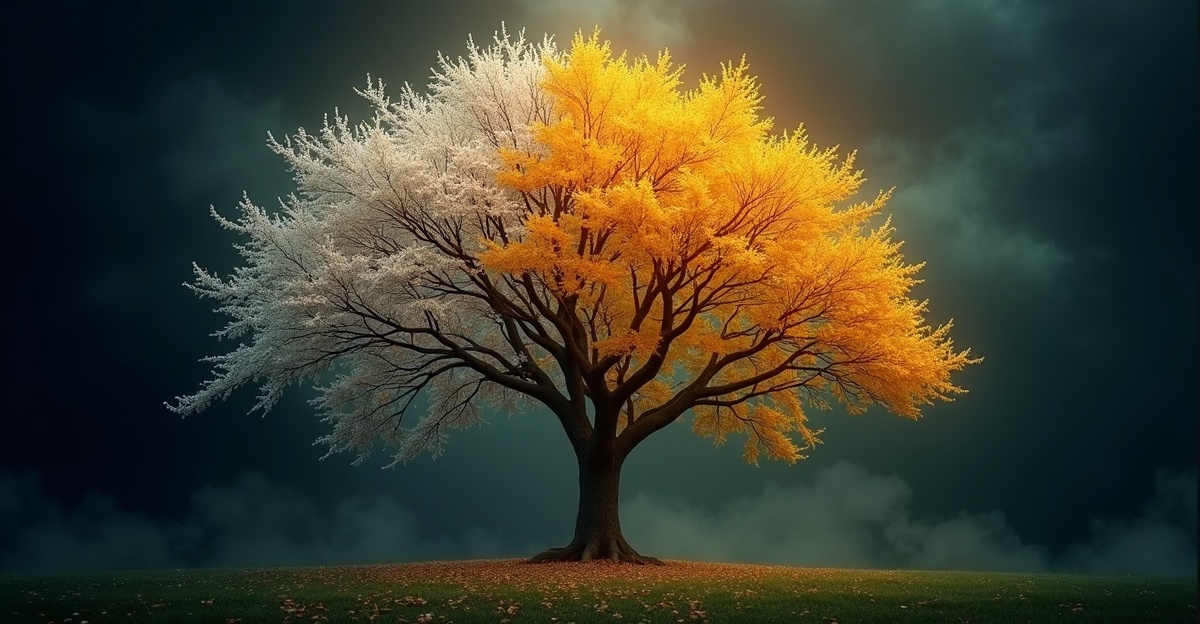
The same trail, field, or hillside photographed in spring, summer, fall, and winter. Deciduous trees are particularly effective -- the transition from bare branches to full canopy to autumn color to bare again is one of the most satisfying nature time-lapses you can create.
Water Level Changes
Lakes, rivers, reservoirs, and coastlines shift visibly with seasons and weather. A reservoir in spring runoff versus late summer drought. A beach at different tidal stages across the year. These transformations are subtle but powerful when compressed into seconds.
Wildflower Seasons
Meadows and hillsides that explode with color for a few weeks each year. Photograph the same field before, during, and after bloom. The transition from brown grass to a carpet of lupine or poppies and back again makes for genuinely beautiful video.
Tree Canopy and Forest Change
A single tree photographed quarterly tells a complete seasonal story. A forest section captured over years can show growth, storm damage, or recovery after fire. The fixed vertical structure of trees gives the AI strong reference points for generating smooth transitions.
How to Create a Nature Time-Lapse with Time Story
The process takes about five minutes once you have your photos ready.
Step 1: Select your photos. Choose 2 to 4 photos showing the same natural subject at different points in time. Arrange them in chronological order. The more visible the change between photos, the more dramatic your time-lapse will be.
Step 2: Upload to Time Story. Open Time Story in Dobidy, upload your photos in order, and review the preview sequence. The tool shows you the frame order before generating.
Step 3: Generate. Hit generate and wait a couple of minutes. The AI creates smooth transition clips between each consecutive pair of photos and stitches them into a single time-lapse video.
Best Practices for Nature Time-Lapse Photos
The quality of your time-lapse depends almost entirely on the photos you provide. A few habits make a significant difference.
Shoot from the same vantage point. This is the single most important factor. The AI generates better transitions when the camera position is consistent between frames. If you are documenting a garden, pick a spot and mark it -- literally put a stake in the ground or note the exact paving stone you stand on.
Use a fixed reference point. Include something that does not change -- a fence post, a rock, the corner of a building -- in every frame. This gives the AI an anchor for aligning the transformation.
Note your exact location. Drop a pin on your phone's map, take a photo of where you stand, or measure distance from a nearby structure. When you return weeks or months later, you want to match the original position as closely as possible.
Photograph at consistent times of day. Morning light and afternoon light hit differently. A photo taken at 9 AM and another at 4 PM will have mismatched shadows even from the same spot. Pick a time of day and stick with it for all your frames.
Use landscape orientation. Wider frames capture more context and give the AI more visual information to work with during transitions.
For Gardeners and Landscapers
If you work with plants professionally, time-lapse videos are one of the most effective portfolio tools available.
Document garden progress for clients. Photograph a new installation at planting, at one month, at three months, and at peak season. Turn those four photos into a time-lapse that shows the garden filling in and maturing. Clients can share these with friends, and every share is a referral for your business.
Create before-and-after portfolio content. A landscaper's portfolio traditionally shows a grid of static before and after photos. A time-lapse video of a yard transforming from bare dirt to a designed outdoor space is far more engaging. Post these to Instagram Reels or TikTok and let the transformation speak for itself.
Track plant health over time. For long-term maintenance clients, quarterly photos of the same beds help you spot trends -- thinning areas, encroaching shade, drainage issues -- that are harder to notice in day-to-day visits.
For Educators and Scientists
Nature time-lapse videos are powerful teaching and documentation tools.
Classroom materials. A biology teacher documenting bean sprout growth over two weeks can turn four milestone photos into a video that makes the lesson tangible. Geography classes can use seasonal landscape photos to illustrate erosion, deposition, and ecological succession.
Research visualization. Ecologists and environmental scientists photograph study sites at regular intervals. Converting those documentation photos into time-lapse videos makes findings more accessible to non-specialist audiences -- useful for grant presentations, public engagement, and journal supplements.
Citizen science and conservation. Nature groups often ask volunteers to photograph the same locations over time. Compiling those photos into time-lapse videos helps communicate environmental change to the public in a way that data tables cannot.
Where to Share Nature Time-Lapse Videos
Nature content performs well across platforms because the audience is enormous and the content is inherently visual.
Gardening communities. Reddit's r/gardening, Facebook gardening groups, and GardenWeb forums all respond well to progress videos. A three-second time-lapse of a raised bed going from soil to harvest will get more engagement than a dozen static photos.
Nature and photography groups. Instagram hashtags like #naturetransformation and #timelapsephotography have active audiences. TikTok's nature content community is massive and rewards short, visually striking clips.
Educational platforms. YouTube is ideal for longer explanations paired with the time-lapse video. Teachers can embed videos in Google Classroom or Canvas.
Local community pages. Seasonal landscape time-lapses of recognizable local spots -- a town park, a well-known hiking trail, a community garden -- tend to perform well on local Facebook groups and Nextdoor.
Get Started
Nature is always transforming. If you have photos of the same spot taken at different times -- even just two -- you already have what you need.
Try Time Story to turn your nature photos into a smooth time-lapse video. Nature time-lapses are just one category of AI transformation video you can create from still photos. For more ideas on seasonal content, see our guide to season change time-lapse videos. And if you are new to the tool, Introducing Time Story covers everything you need to know to get started.

Dobidy Team
AI-powered video advertising platform
Ready to create your first video ad?
Upload your product photos and get a polished 10-second video ad. Just $9.
Get Started