Fashion Evolution Videos: Show Your Style Journey with AI
Create fashion transformation videos from outfit photos across different eras. AI generates smooth style evolution videos perfect for TikTok and Instagram.
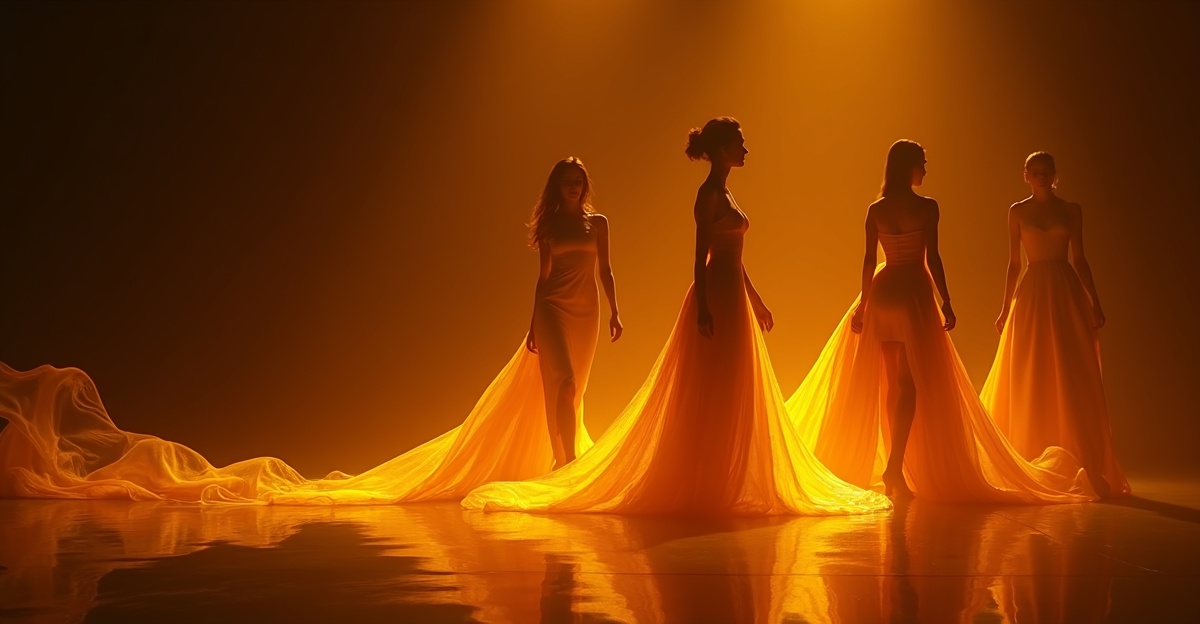
Your style tells a story. Look at a photo of yourself from high school, then one from college, then one from last week. The clothes are different, the confidence is different, the entire vibe is different. That progression -- from questionable teen choices to whatever your current aesthetic is -- is identity made visible. It is one of the most relatable forms of personal content, which is exactly why fashion evolution videos are everywhere on social media right now.
The concept is simple: show how your style changed over time in a short, smooth video. The execution used to require video editing skills, careful timing, and hours in an editing app. Now AI handles the hard part. You upload a few outfit photos from different years and get back a polished transformation video where your style morphs seamlessly from one era to the next.
What Is a Fashion Evolution Video?
A fashion evolution video is a short clip that shows one person's style changing over time through smooth visual transitions. Instead of a slideshow that jumps from photo to photo, the AI generates fluid movement between each image -- your outfit, hair, and surroundings morph gradually from one era to the next.
The result looks like a single continuous shot of you transforming through years of style changes in a matter of seconds. Upload a middle school photo, a prom photo, a college photo, and a recent shot, and the video flows through all four seamlessly.
These videos hit because they are personal, nostalgic, and visually satisfying. Viewers watch their own style journey reflected in yours. The comments are always full of people tagging friends and saying "we need to do this."
How to Make One with Time Story
Step 1: Choose photos from distinct style eras. Pick 2 to 4 photos that each represent a clearly different phase of your style. The bigger the visual contrast between eras, the more dramatic the transformation. A 2005 scene kid photo followed by a 2015 minimalist phase followed by a 2026 look tells a clear story.
Step 2: Upload in chronological order. Open Time Story and upload your photos from earliest to most recent. The tool processes them in order, so the video will flow from your first style era to your latest.
Step 3: Generate your video. Hit generate and give it a couple of minutes. The AI creates smooth transitions between each consecutive pair of photos, then stitches them into a single video showing your complete style evolution.
What Photos Work Best
The photos you choose determine how good the final video looks. Here is what to reach for.
Full-Body Outfit Shots
Full-body or at least waist-up photos show the most style information. A headshot only captures hair and maybe a neckline. A full outfit photo shows silhouette, color palette, accessories, shoes -- the complete picture of a style era.
School Photos and Yearbook Shots
These are gold. Everyone has them, they are spaced at regular intervals, and they capture exactly what you looked like at each age. Elementary school through high school graduation gives you 4 photos spanning a decade of change.
Prom, Formal, and Event Photos
These tend to be the most put-together version of each era's style. Prom dresses, homecoming outfits, wedding guest looks, and holiday party fits all represent peak effort for their respective time periods.
Festival and Vacation Looks
If you went through a Coachella phase, a backpacking phase, or a beach vacation era, those photos are often the most expressive of a particular style period. They tend to be more adventurous than everyday outfits.
Professional Headshots
For adults, professional photos taken years apart show the subtle evolution of mature style -- how your work wardrobe and grooming shifted from your first job to your current role.
Tips for Better Results
Similar backgrounds help. The AI transitions between the person and their surroundings. If one photo is outdoors in bright sun and the next is in a dark bedroom, the background shift can dominate the transition. Photos with neutral or similar backgrounds keep the focus on the outfit change.
Full-body is better than close-up. The more of your outfit visible in each frame, the more the AI has to work with when generating the transformation. Close-up face shots produce shorter, less dramatic transitions.
3 to 4 photos for a longer evolution. Two photos produce a single short transition. Three or four photos give the AI more eras to flow through, creating a more complete narrative arc from past to present.
Chronological order matters. Out-of-order photos create confusing transitions where your style jumps forward and backward in time. Always upload from earliest to most recent for a clear progression.
Center yourself in the frame. Photos where you are roughly centered and similarly sized make it easier for the AI to align the transitions. If you are tiny in one frame and filling the screen in the next, the morph can feel jarring.
Who Makes This Content
Fashion evolution videos are not just for influencers. The format works for anyone with photos from different periods of their life.
Fashion Influencers and Content Creators
This is the core audience. Influencers use style evolution videos as pillar content -- the kind of post that gets saved, shared, and referenced. It establishes credibility by showing range and history. A creator who can show their style journey from 2015 to 2026 demonstrates both authenticity and taste.
Stylists and Personal Shoppers
For professionals, a client's style transformation is the ultimate portfolio piece. Photograph your client before your first session and after a wardrobe overhaul. The time-lapse video becomes a case study you can share with permission.
Fashion Brands
Brands can create decade retrospectives showing how their aesthetic evolved. A streetwear brand showing its 2016 lookbook morphing into its 2026 collection tells a brand story in seconds. It works equally well for celebrating anniversaries.
Anyone on Social Media
You do not need a following to make this content. Fashion evolution videos from everyday people routinely go viral because relatability drives shares. The person who posts their transformation from 2010 graphic tees to current style gets engagement because everyone sees their own journey in it.
Trending Formats and Where to Post
TikTok Glow-Up Challenge
The "glow up" format is one of TikTok's most enduring trends. Set the video to a trending audio, add a caption like "2014 vs 2026," and post. The transformation format is built for TikTok's short attention spans -- viewers get the full payoff in under 10 seconds.
Instagram Then vs Now
Instagram Reels and carousel posts both work. Post the time-lapse video as a Reel with a nostalgic caption, or pair it with a carousel showing each individual era photo for context. The combination drives saves and shares.
YouTube My Style Evolution Series
For longer content, use the time-lapse video as the intro to a YouTube video where you break down each era -- what influenced you, what you were going through, why your style changed. The AI video becomes the hook that keeps viewers watching through the full analysis.
Pinterest Style Boards
Pin the video alongside outfit breakdowns for each era. Pinterest users actively search for style transformation content and inspiration boards.
Get Started
If you have a few photos of yourself from different years -- and almost everyone does -- you have everything you need for a fashion evolution video.
Try Time Story to create yours. Fashion evolution is one of the most popular types of AI transformation video -- see what else you can create. For a related take on personal transformation content, check out our guide to childhood-to-adult aging videos. And if you want to learn more about how the tool works, see Introducing Time Story.

Dobidy Team
AI-powered video advertising platform
Ready to create your first video ad?
Upload your product photos and get a polished 10-second video ad. Just $9.
Get Started