AI Video Marketing for Interior Designers and Contractors
How interior designers and contractors use AI video tools to market their work — short, scripted video ads from the project photos you already have.
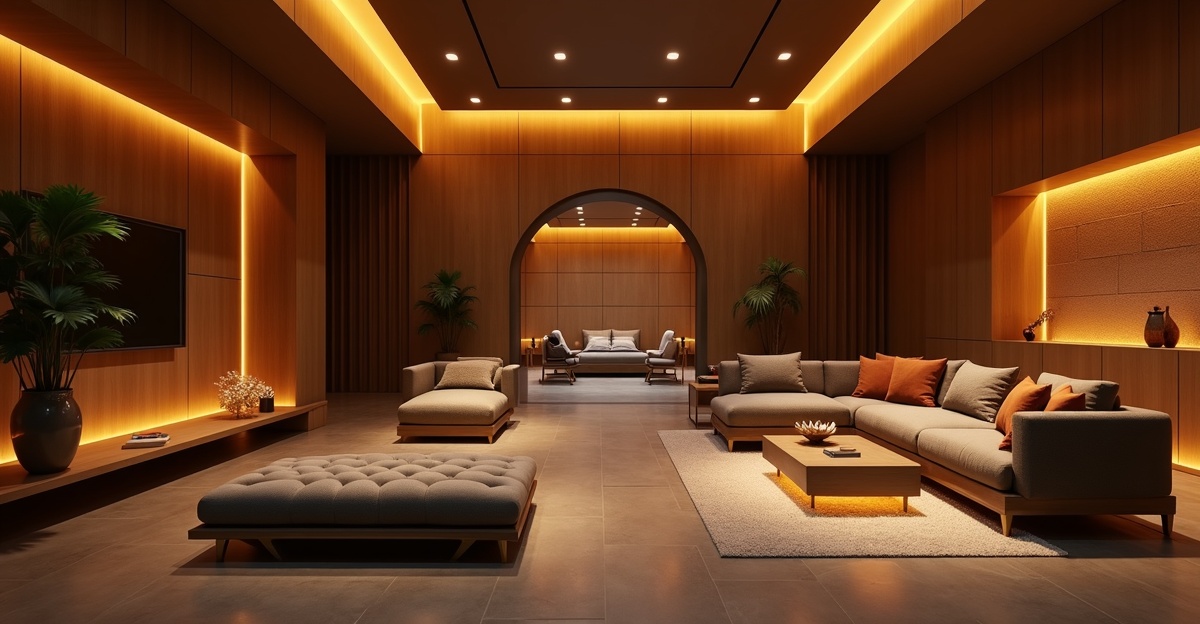
Interior designers and contractors share a marketing problem: their work is inherently visual, but the medium most of them use to showcase it -- still photography -- captures only a fraction of what makes a project impressive. A photo of a finished kitchen shows the countertops and cabinets. It does not show the drama of the transformation, the sense of scale, or the moment a client first walks in.
Video solves this. A short, scripted video ad with motion, hooks, and a clear call to action communicates things that photos structurally cannot.
The problem, historically, has been cost. Professional video production for a completed project runs $500 to $3,000 -- a fee that wipes out the marketing budget for most small to mid-size firms. Multiply that by 15 to 25 projects per year and the math becomes prohibitive.
AI video tools have changed this equation. In 2026, you can generate ad-ready video content from the project photos you already take as part of your documentation process. No videographer, no editor, no production timeline. The cost per video starts at zero with Dobidy's free first batch.
This guide covers how interior designers and contractors can use AI video to market their work, build a portfolio that generates leads on autopilot, and differentiate from competitors who are still relying on photo galleries alone.
Project Photos Become Short Video Ads
Dobidy's Omni Tool takes a few photos of a completed project plus a short brief about your firm and target audience and generates three short, scripted vertical video ads — each with a different hook, on-screen text, and call to action. The ads are formatted for TikTok, Instagram Reels, YouTube Shorts, and Facebook out of the gate.
Best for:
- Completed project showcases on social media
- Client referral videos and testimonial posts
- Website portfolio entries with motion above the fold
- Google Business Profile videos
- Cold-audience paid ads on Meta and TikTok
This tool works from photos you already have. If you document your projects -- and you should be -- you already own the raw material for dozens of marketing videos.
For Interior Designers
Building a Video Portfolio
The standard interior design portfolio is a grid of photos. Some firms organize them by project, others by room type. Nearly all of them present static images that the viewer clicks through one at a time.
A short video ad is fundamentally different. When a potential client watches a 10-second hero shot of a completed living room with a confident scripted line, they understand your design sensibility in a way that five separate room photos cannot convey. They see the materials in motion. They see the proportions. They hear what makes your work distinctive.
Implementation plan:
- For each completed project, select 2 to 3 hero shots that capture the design
- Generate a short Omni Tool batch — three 10-second video ads with different angles
- Embed the strongest video on the project's portfolio page, above the photo gallery
- Use the variations as social media announcement posts
Over the course of a year at 15 to 20 projects, you build a library of 45 to 60 short video ads that continues working as marketing content long after the project is complete.
Client Presentations and Proposals
Most design proposals include mood boards, material samples, and reference photos. Adding short video ads of similar completed projects makes the proposal tangible in a way that static references cannot.
When pitching to a new client, embed relevant project videos directly in your proposal or presentation deck. A prospective client considering a kitchen renovation does not just see photos of a kitchen you completed -- they experience your work in motion with a confident voice describing the design intent.
Proposal video strategy:
- Include 2 to 3 short video ads of past projects similar to the one being proposed
- Keep each video around 10 seconds to maintain attention within a presentation context
- Host videos on a private page or embed directly rather than linking to social media
Social Media Content Strategy
Interior design thrives on visual social media, but the content demands are relentless. You need to post 4 to 7 times per week to maintain visibility. AI video tools reduce the production effort dramatically.
One project = multiple posts:
| Post # | Content Type | Platform | |---|---|---| | 1 | Short AI video ad (Reel/TikTok) | Instagram, TikTok | | 2 | Before photo carousel | Instagram | | 3 | Detail shots (materials, fixtures) | Instagram Stories | | 4 | After photos with design commentary | Instagram, Pinterest |
One completed project generates a full week of content across platforms. Twenty projects per year is 20 weeks of content -- nearly five months of daily posting from work you have already completed.
Instagram-Specific Tips
Instagram is the primary portfolio platform for interior designers. Optimize accordingly:
Reels for hero shots: Post AI-generated video ads as Reels, not regular video posts. Reels get 2 to 3x the reach. Use trending audio and location tags. (Instagram Reels from product photos covers the Reels-specific creative workflow.)
Carousels for detail: The before photo → AI video ad → after photo → detail shots carousel format maximizes engagement. Each swipe is a micro-commitment from the viewer, and Instagram rewards posts that generate swipes.
Save-worthy captions: Interior design content has the highest save rate of any visual category on Instagram. Write captions that provide value -- material choices, design rationale, budget breakdowns -- and viewers will save your posts for future reference. Saves are a strong signal to the algorithm.
Hashtag clusters by room type:
- Kitchen: #KitchenDesign #KitchenRenovation #KitchenRemodel #ModernKitchen
- Bathroom: #BathroomDesign #BathroomRenovation #BathroomRemodel
- Living room: #LivingRoomDesign #InteriorStyling #HomeDesign
- General: #InteriorDesigner #BeforeAndAfter #DesignTransformation
Pin strategy: Cross-post every Reel as a Pinterest video Pin. Pinterest drives 3x more qualified traffic for home design content than any other platform, and video Pins get prioritized in the feed.
For Contractors
Video Ads of Completed Projects
For contractors, short video ads of completed projects are powerful marketing assets. Before-and-after photos are standard -- every contractor has them. But a punchy 10-second video ad with a confident hook and a clear call to action is what sets you apart in a crowded feed.
Photo tips for contractors:
- Designate one corner of each room as your "documentation spot" and photograph from there at every major milestone
- Take progress photos on the same day of the week at the same time to maintain consistent lighting
- Clear tools and debris from the frame for milestone shots -- you want to show clean progress, not a chaotic job site
- Keep the camera at the same height and angle for consistent results
(See product photography tips for video ads for more on capturing photos AI models render well.)
Bid Presentations
When bidding on a new project, you compete against other contractors who submit similar proposals with similar pricing. The differentiator is often trust -- does the client believe you will deliver the result you are promising?
A portfolio of short video ads answers that question more effectively than a slideshow of photos. Include 3 to 5 video ads from completed projects similar to the one being bid. The client sees concrete evidence that you have done this work before and delivered quality results.
Bid presentation format:
- Brief project overview (scope, timeline, budget range)
- 2 to 3 video ads of comparable past projects
- Detailed scope of work and pricing
- Timeline and milestones
The videos in position 2 do the selling. Everything else is supporting documentation.
Google Business Profile
Google Business Profile (GBP) is the most underutilized marketing channel for contractors. When a homeowner searches "kitchen remodeling contractor near me," GBP listings appear at the top of results. Listings with video get significantly more clicks than those without.
Upload your best video ads directly to your GBP listing. Google allows video up to 30 seconds, which is more than enough for a 10-second AI video ad of a completed space. This video appears when potential clients find you in Maps or Search, giving them an immediate visual of your work quality before they even visit your website.
GBP video optimization:
- Upload at least 3 video ads (one per major project type -- kitchen, bathroom, exterior)
- Name the video file descriptively before uploading (e.g., "kitchen-remodel-before-after-2026.mp4")
- Add the video to your GBP posts periodically to keep your profile active
- Respond to reviews and add new videos monthly -- Google rewards active profiles with better local rankings
Social Media for Contractors
The contractor social media audience is different from the interior design audience. Design followers are aspirational browsers. Contractor followers are often actively planning a project and evaluating who to hire. Your content needs to demonstrate competence and reliability, not just aesthetics.
Posting schedule:
| Day | Content | Purpose | |---|---|---| | Monday | Short AI video ad (Reel/TikTok) | Showcase completed work | | Wednesday | Progress photo or job site update | Show active work in progress | | Friday | Tip or educational content | Build authority ("3 signs your foundation needs work") | | Saturday | Video ad of completed project | Weekend browsing engagement |
Platform priority for contractors:
- Google Business Profile -- Highest conversion intent. People searching here are ready to hire.
- Instagram -- Portfolio and brand building. Renovation Reels reach homeowners planning projects.
- TikTok -- Organic reach. Renovation content consistently goes viral, even from small accounts. (How renovation TikToks go viral breaks down the formula.)
- YouTube -- Searchable library. A YouTube Short titled "Bathroom Renovation Before and After" will surface in search results for years.
- Facebook -- Community groups. Many renovation leads come from local Facebook groups where homeowners ask for contractor recommendations.
Cost Comparison
The financial argument for AI video is straightforward:
| | Traditional Video | AI Video (Dobidy Basic) | AI Video (Free Tier) | |---|---|---|---| | Cost per project video | $500 - $3,000 | About $2.42 | $0 (one-time free batch) | | Turnaround | 3 - 10 business days | Minutes | Minutes | | Annual cost (20 projects) | $10,000 - $60,000 | $348/year | $0 (first batch only) | | Scheduling required | Coordinate videographer | None -- use existing photos | None | | Can create retroactively | No -- need footage from the time | Yes -- just need photos | Yes |
The last row is critical. Traditional video requires that you thought to hire a videographer before the project was completed. AI video lets you create marketing content from projects you finished years ago, as long as you have photos. Your entire back catalog of project documentation becomes video-ready overnight.
The Compounding Effect
This is the most important concept in this guide.
Every project you complete and document with video becomes a permanent marketing asset. A video ad posted to Instagram in January continues to surface in hashtag searches and Explore feeds in June. A video on YouTube remains searchable for years. A GBP video influences every prospective client who finds you in local search.
The math over time:
| Year | Projects | Videos Created | Total Video Library | |---|---|---|---| | Year 1 | 20 | 60 (3 per Omni Tool batch) | 60 videos | | Year 2 | 20 | 60 | 120 videos | | Year 3 | 20 | 60 | 180 videos |
By year 3, you have a library of nearly 200 short video ads distributed across your website, social media, Google Business Profile, and YouTube. That library works 24/7 -- appearing in search results, surfacing in algorithm feeds, and impressing potential clients who discover your profiles for the first time.
A competitor who starts creating video in year 3 faces an enormous content gap. They are posting their first video ad while you have a couple hundred already indexed, ranked, and generating impressions. (Transformation video trends 2026 covers the before/after format that performs best in this niche.)
This is the compounding effect: consistent video creation builds a marketing moat that grows more defensible over time. And the investment is minimal -- one Omni Tool batch per completed project, generated from photos in minutes.
Where to Start
Pick a completed project that you are proud of. Pull up your hero photos.
- Upload 2 to 3 photos of the finished space to Dobidy. Answer a short brief about your firm and the project. Generate your free first Omni Tool batch.
- Post the strongest video ad to Instagram Reels and TikTok today.
- Upload the same video to your Google Business Profile tomorrow.
Time investment: 15 minutes. Cost: $0 on the free tier.
Do this for every project going forward. In 6 months, you will have a video library that none of your competitors can match.

Dobidy Team
AI-powered video advertising platform
Ready to create your first video ad?
Upload your product photos and get a polished 10-second video ad. Plans from $39/mo.
Get Started