Restaurant Marketing Videos: How to Showcase Your Space with AI
A guide for restaurants to create walkthrough marketing videos using AI. Photo sequence, platform tips, and cost-effective production with Spatial Story.
When someone searches for a restaurant, they want to know two things: what the food looks like and what the space feels like. Static photos answer the first question. Video answers the second — the ambiance, the lighting, the layout, the energy of the room.
The problem has always been cost. A professional videographer runs $500 to $2,000 for a short walkthrough. For an independent restaurant or neighborhood cafe, that is a significant portion of the marketing budget for a single piece of content.
AI walkthrough videos change the economics. Using Dobidy's Spatial Story, you can turn a sequence of photos into a smooth tour of your restaurant — no camera crew, no editing, no scheduling headaches. The same technology that powers AI property walkthrough videos works just as well for restaurants and hospitality spaces.
The 6-Photo Sequence for Restaurants
Spatial Story generates video transitions between sequential photos, creating the sensation of moving through a space. Choose photos that follow the path a guest would take when arriving.
Photo 1: The Exterior
Start where your guests start. Capture the full facade including signage and outdoor seating. Shoot during golden hour if possible — the warm light flatters every building.
Photo 2: The Entrance
The front door or entrance area bridges outside to inside. Include the door, any host stand, and the first glimpse of the interior. Distinctive elements like a neon sign or chalkboard menu add character.
Photo 3: The Main Dining Area
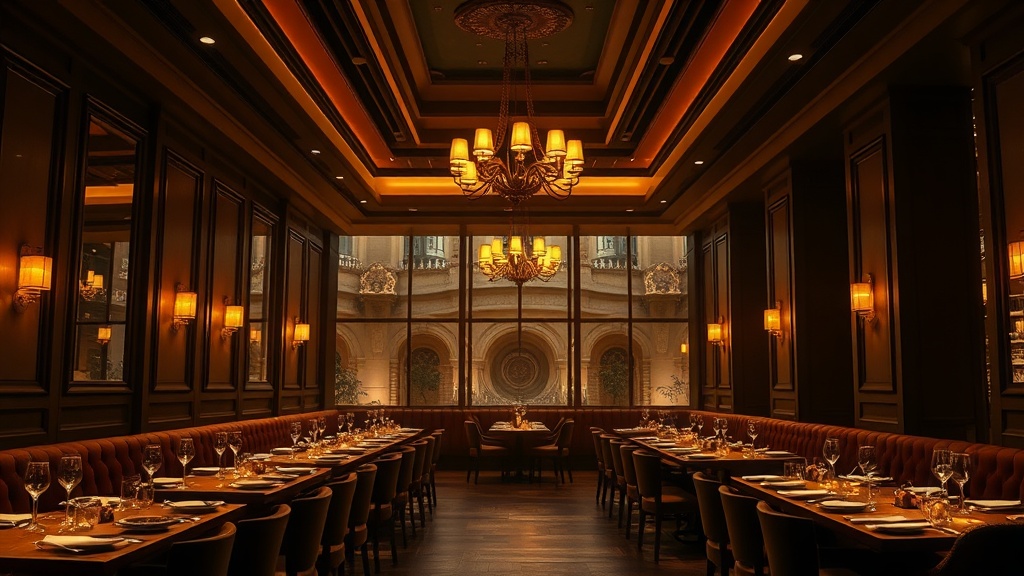
Your hero shot. Capture the full dining room from an angle that shows depth — shoot from a corner or along the longest axis. The room should be set for service: tables dressed, candles lit, chairs tucked in. An empty but fully set room photographs better than a half-occupied one.
Photo 4: The Bar or Feature Area
Bars are visually rich — bottles, glassware, lighting, and materials create texture that translates well into video. If you do not have a bar, use this slot for your most distinctive feature: a private alcove, open kitchen pass, or patio.
Photo 5: The Kitchen or Another Angle
An open kitchen adds authenticity and trust. If your kitchen is guest-facing, photograph it from the pass. Otherwise, use this slot for a second dining angle, event space, or design detail.
Photo 6: A Signature Dish
End with food. A beautifully plated dish is the natural climax — you have walked the guest through the space, and now you show them what they came for. Use your most photogenic dish, shot from above or at 45 degrees with natural light.
Photo Tips for Restaurants
Handle mixed lighting. Restaurants combine warm bulbs, daylight, and colored accents. The AI handles this better when lighting is consistent within each photo.
Shoot during off-hours. An empty, fully set restaurant photographs more cleanly than a half-full one. Shoot after setup but before service.
Keep it level. Hold the camera at eye height with the horizon straight. Spatial Story interprets level perspectives more predictably than artistic angles.
Clean everything visible. Fingerprints on glass, crumbs on tables, and scuffed floors all show up in the output. Wipe down every visible surface.
Where to Use Your Walkthrough
Google Business Profile. The highest-impact placement. When someone searches your name or "restaurants near me," video on your listing increases engagement and signals relevance to Google's algorithm.
Instagram Reels and TikTok. A walkthrough feels like organic content, not an ad. Restaurant tours perform well because they satisfy visual curiosity about a space.
Your website. Embed the walkthrough on your homepage. Video increases time on site and gives potential guests a reason to explore your menu.
Reservation platforms. OpenTable, Resy, and similar platforms support media-rich listings. Video distinguishes you from competitors with static photos only.
Event inquiries. Include the walkthrough in event responses. Showing the space in motion is more compelling than a PDF with floor plans.
The Cost
A Spatial Story clip using 3 frames is free on the WAN Free tier (480p with watermark), or costs 40 credits on WAN HQ (720p) — under $1 on the Basic plan. The full 6-frame sequence costs 100 credits on WAN HQ, roughly $2.25. Compare that to $500-plus for a videographer.
You could produce a new walkthrough every month — capturing seasonal decor, new menus, or patio openings — for less than a single professional shoot.
Getting Started
Choose a quiet time when your restaurant is set but not open. Take six photos following the sequence above. Upload them to Spatial Story in order. The whole process takes less than 15 minutes.
Then put that video everywhere potential guests might look. A restaurant is a sensory experience, and video is the closest thing to being there.

Dobidy Team
AI-powered video advertising platform
Ready to create your first video ad?
Upload your product photos and get a polished 10-second video ad. Just $9.
Get Started